
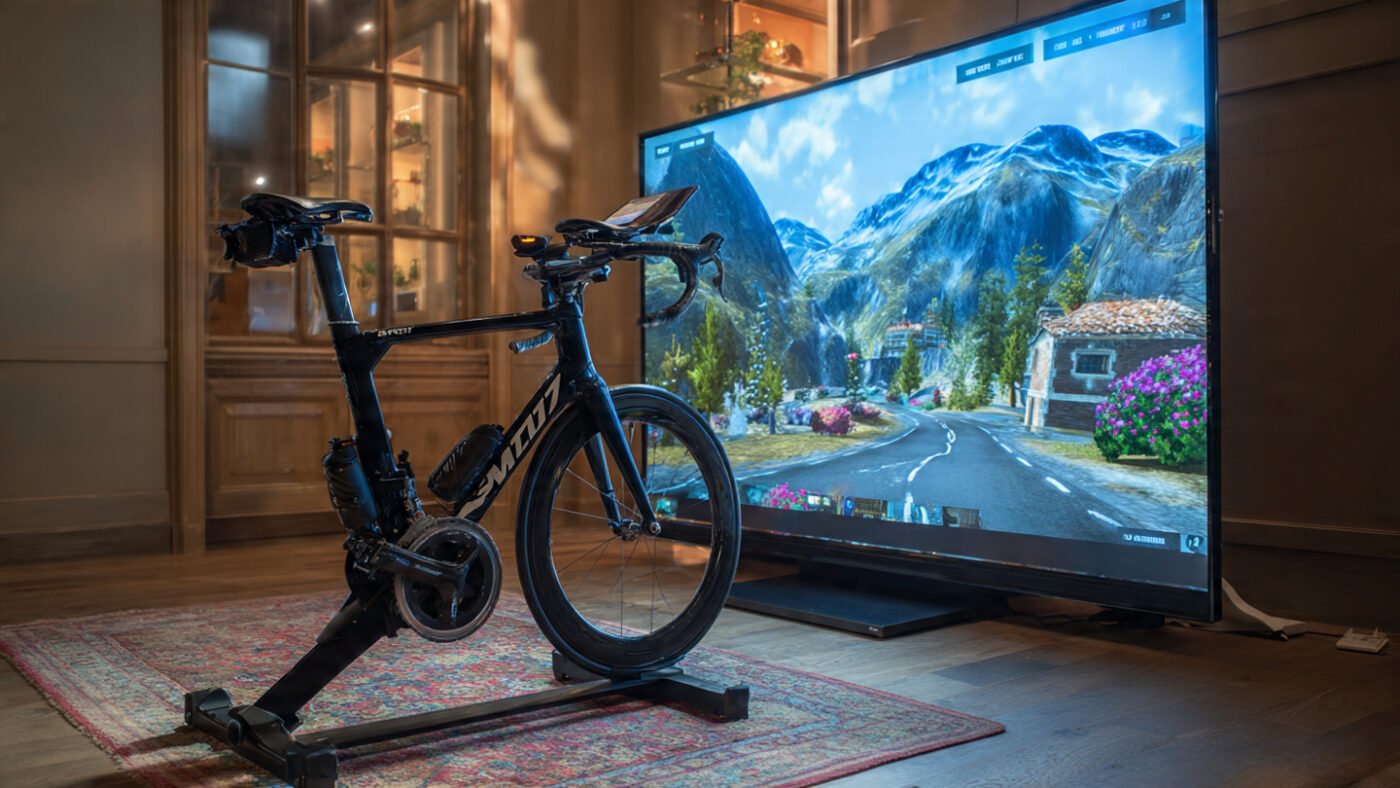
Pooboo App Compatibility: The Complete Expert Guide to Connected Indoor Cycling.
Disclosure: This post contains affiliate links. If you purchase through our link, we may earn a small commission at no extra cost to you.
Can a $300 budget exercise bike give you the connected training experience that riders spend $1,400+ to access on a Peloton? The answer, for Bluetooth-enabled Pooboo models like the D626 and D616M2, is a resounding yes. This complete guide covers which Pooboo models connect to which apps, how the pairing process works step by step, what data is transmitted, and how to get the most immersive indoor cycling experience from your Pooboo setup in 2026.
The moment you ask pooboo app compatibility, you are asking something bigger than a simple tech question. You are asking: can a $300 budget exercise bike give me the connected training experience that riders spend $1,400+ to access on a Peloton? The answer, for Bluetooth-enabled Pooboo models, is a resounding and well-documented yes.
The Pooboo D626, D616M2, and several other Bluetooth variants connect directly via Bluetooth to Zwift, Strava, Kinomap, BKOOL, Rouvy, and more — delivering real-time power, cadence, and speed data to some of the world’s most popular training platforms.
But compatibility is only the starting point. This guide explains exactly which Pooboo exercise bike models connect to which apps, how the pairing process works step by step, what data is transmitted, what the limitations are compared to a Peloton, and how to get the most immersive, data-rich indoor cycling experience from your Pooboo setup in 2026.
First: Which Pooboo Models Are App Compatible?
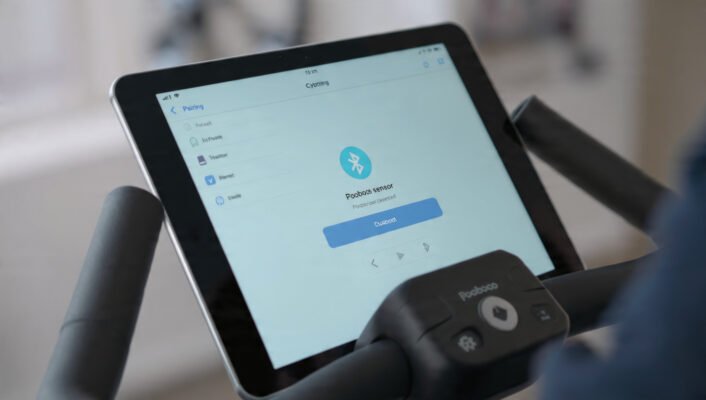
Not every Pooboo bike is Bluetooth-enabled. That is important to establish upfront.
The standard Pooboo D525DM — the most widely reviewed entry-level model — uses a basic LCD monitor without Bluetooth. It tracks time, speed, distance, and calories on its own display but does not transmit data wirelessly to any app. For standalone training, it is excellent. For connected training through Zwift or Strava, it is not equipped.
The Bluetooth-enabled Pooboo models — most notably the D626, D616M2, and the D616 — are specifically designed for app connectivity. These bikes broadcast Bluetooth signals carrying speed, cadence, power, and distance data that third-party platforms can detect and use in real time.
Here is a quick model-level reference:
| Pooboo Model | Bluetooth | App Compatible | Flywheel | Resistance Levels |
|---|---|---|---|---|
| D525DM | ❌ No | ❌ None | 35 lbs | Magnetic continuous |
| D526 | ❌ No | ❌ None | 35 lbs | Magnetic continuous |
| D616M2 | ✅ Yes | ✅ Zwift, Strava, Kinomap, BKOOL, Rouvy | 40 lbs | 100 levels |
| D626 Bluetooth | ✅ Yes | ✅ Zwift, Strava, Kinomap, BKOOL, Rouvy | 45 lbs | Magnetic |
| D600 (higher-tier) | ✅ Yes | ✅ Zwift, Peloton, and more | Premium | Auto-resistance |
The Full List of Compatible Apps
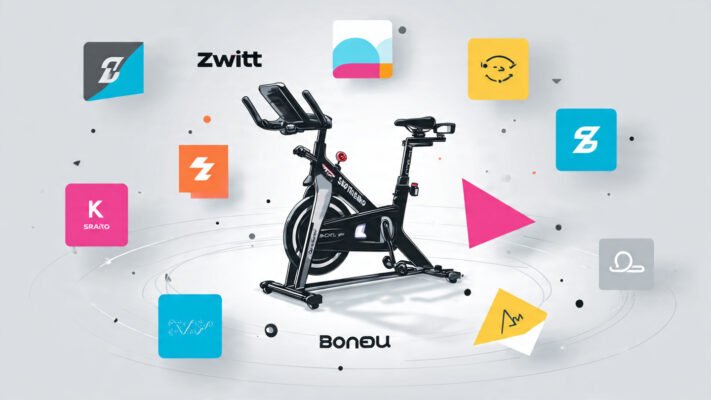
Pooboo’s officially stated app compatibility list appears consistently across product pages, Walmart listings, and independent review sources. These five platforms are confirmed:
1. Zwift
Zwift is the world’s most popular virtual cycling platform. Riders cycle through fully animated 3D worlds — Watopia, London, New York, and more — while competing with real riders globally. When paired with a Pooboo Bluetooth bike, Zwift reads power output and cadence in real time, which means the virtual avatar’s speed is tied directly to actual pedaling effort.
A Reddit user who paired the Pooboo D626 specifically confirmed: “Zwift and Kinomap can detect it and pair with it. They can read power output and cadence.” That is real-world validation, not manufacturer marketing.
Zwift requires a subscription. As of 2026, pricing starts at around $14.99–$19.99/month depending on the plan.
2. Strava
Strava is the most widely used ride-logging platform in the world. On its own, Strava does not control resistance or display real-time virtual worlds. What it does is record rides, track personal bests, display segments, enable social sharing, and store long-term training history.
The most effective use of Strava with a Pooboo is as a data archive linked to Zwift. Zwift can be configured to automatically sync all ride data to Strava after each session, creating a complete training log without manual entry. That two-platform combo — Zwift for immersion, Strava for history — is one of the most popular setups among Pooboo Bluetooth users.
3. Kinomap
Kinomap is a visually distinctive platform that streams real-world video footage from cycling routes filmed around the globe. As the rider pedals, the video playback speed increases or decreases in response to cadence and effort. It is a uniquely immersive experience for riders who find traditional virtual worlds less motivating than real-world scenery.
CyclistsHub gave Kinomap a 4/5 for ease of setup, 5/5 for routes, and overall 3.8/5, noting its “comprehensive library of real-world routes with new ones added almost daily”. A 2026 video review specifically described it as highly engaging for indoor training and praised its Strava sync capability.
4. BKOOL
BKOOL is a Spanish virtual cycling platform with a strong reputation for accurate gradient simulation. Unlike Kinomap, which uses video, BKOOL uses 3D route rendering similar to Zwift but with a stronger focus on faithfully replicating real-world climbs. A Reddit user who compared BKOOL and Kinomap directly noted: “BKool provided a more realistic experience. The grade varied frequently, mirroring real-life conditions.” For riders who train for outdoor climbs and want realistic resistance variation, BKOOL is the most accurate simulator available in the Pooboo compatibility stack.
5. Rouvy
Rouvy combines video backgrounds with 3D avatar overlays, sitting between Kinomap and Zwift in terms of visual approach. It offers official UCI and Gran Fondo routes, structured training plans, and a calendar of virtual races. It is particularly popular with riders training for specific outdoor events.
Can the Peloton App Be Used With a Pooboo Bike?

Yes — but with important limitations that are worth understanding before committing to a subscription.
The Peloton App (available in a free tier and paid tiers) can be streamed on any device — a phone or tablet — mounted on the Pooboo’s built-in tablet holder. Classes, instructors, music, and programming are all fully accessible. However, on a non-Peloton bike, the following features are missing:
- Leaderboard access — Peloton’s competitive leaderboard only shows rankings from riders on Peloton hardware
- Resistance metrics — Instructors call specific resistance numbers (e.g. “go to resistance 45”) which only exist on Peloton bikes
- Output measurement — Power output combining resistance and cadence is not calculable without Peloton’s sensor system
What you do get is instructor coaching, music, class structure, and the motivational experience of a guided ride. For many riders, that is more than enough. A separate Bluetooth cadence sensor — available for under $30 from brands like Wahoo or CooSpo — can be added to the Pooboo crank arm, and cadence can then be paired with the Peloton app separately to track RPM.
Step-by-Step: How to Pair Your Pooboo Bluetooth Bike to Zwift
This is the most commonly attempted pairing and the one most people find confusing at first. Here is the exact process:
What you need:
- A Bluetooth-enabled Pooboo model (D626, D616M2, or similar)
- A device running Zwift (laptop, tablet, Apple TV, or smartphone)
- A Zwift account (free trial available, then subscription-based)
- Wi-Fi connection
Step-by-step process:
- Wake the Pooboo Bluetooth transmitter by pedaling for 10–15 seconds. The Bluetooth module only broadcasts when the bike is in motion.
- Open Zwift on your device. Log in with your account credentials.
- Reach the pairing screen. This appears automatically after login. It shows slots for: Power Source, Cadence, Heart Rate, and Controllable Trainer.
- Click on Power Source. Zwift will begin scanning for nearby Bluetooth devices. The Pooboo Bluetooth transmitter should appear in the list — typically identified by the model name or a generic sensor ID.
- Select the Pooboo sensor for Power Source. Zwift should automatically detect and pair Cadence from the same sensor.
- Note: The Pooboo is not a smart trainer, so the Controllable Trainer slot will remain unpaired. This means Zwift cannot automatically adjust the bike’s resistance during climbs. Resistance must be manually controlled via the Pooboo’s knob. This is a key distinction from a true smart trainer.
- Start riding. Pedaling is detected. The Zwift avatar moves. Speed reflects actual cadence and power output.
Troubleshooting tip: If the Pooboo sensor does not appear in Zwift’s scan, ensure no other app (including the phone’s native Bluetooth settings) is already connected to the device. Bluetooth sensors can only maintain one connection at a time — if the sensor is connected elsewhere, Zwift cannot see it.
Step-by-Step: Connecting Pooboo to Kinomap
The pairing process for Kinomap closely mirrors Zwift:
- Download and install Kinomap from the App Store or Google Play.
- Create an account and choose a video route or structured workout.
- In the app’s device settings, enable Bluetooth sensor search.
- Pedal the Pooboo briefly to activate the Bluetooth transmitter.
- Select the Pooboo sensor when it appears in the device list.
- Speed and cadence data will flow into Kinomap, and video playback speed will respond to riding effort.
- Sync rides to Strava post-session through Kinomap’s connection settings.
Syncing Zwift Rides to Strava: The Two-Platform Setup
The most popular connected setup for Pooboo Bluetooth riders is Zwift for the active ride, with all sessions automatically synced to Strava for long-term tracking.
To set up automatic sync:
- Open the Zwift Companion app on a smartphone.
- Navigate to More → Settings → Connections.
- Find Strava in the connections list and select it.
- Follow the authorization prompts in the pop-up browser window.
- Once the check mark confirms connection, all future Zwift rides will automatically appear in Strava.
Once configured, this runs invisibly. Every Pooboo session on Zwift is logged to Strava with full distance, time, speed, power, and cadence data — building a complete training history with no manual effort.
What Data Does the Pooboo Bluetooth Transmit?
This is an important question because not all Bluetooth-equipped budget bikes transmit the same data types.
Based on confirmed product listings and the Reddit D626 user report, Pooboo Bluetooth models transmit:
- ✅ Speed (km/h or mph)
- ✅ Cadence (RPM)
- ✅ Power (estimated watts — derived from speed and resistance)
- ✅ Distance
- ✅ Calories burned (estimated)
This is enough data for full Zwift rides, Kinomap sessions, BKOOL routes, and Strava logging. It is not, however, the same quality of data as a dedicated power meter or a smart trainer like Wahoo KICKR, where actual measured wattage is transmitted. The Pooboo’s power figure is an estimate based on speed and assumed resistance, not a direct measurement.
For fitness training purposes, it is more than sufficient. For race preparation or highly precise FTP testing, a dedicated power meter would be needed.
Pooboo App Compatibility vs. Other Bikes: A Comparison
| Bike | Bluetooth | App Compatibility | Smart Resistance | Price |
|---|---|---|---|---|
| Pooboo D626 | ✅ Yes | Zwift, Strava, Kinomap, BKOOL, Rouvy | ❌ Manual only | ~$350–$450 |
| Pooboo D616M2 | ✅ Yes | Zwift, Strava, Kinomap, BKOOL, Rouvy | ❌ Manual only | ~$400 |
| Pooboo D525DM | ❌ No | None | ❌ | ~$300 |
| Peloton Bike | ✅ Integrated | Peloton ecosystem only | ✅ Auto-Follow (Bike+) | $1,445+ |
| Wahoo KICKR Bike | ✅ ANT+/BT | Zwift, Strava, TrainerRoad, all major apps | ✅ Fully automatic | $3,500+ |
The Pooboo D626 delivers app compatibility that functionally matches bikes costing three to ten times more. The gap is in smart resistance — Peloton Bike+ and Wahoo KICKR can automatically change resistance mid-ride, while the Pooboo requires manual knob adjustment. For casual and intermediate riders, that distinction rarely matters in practice.
Hands-On Experience: What App-Connected Pooboo Riding Actually Feels Like
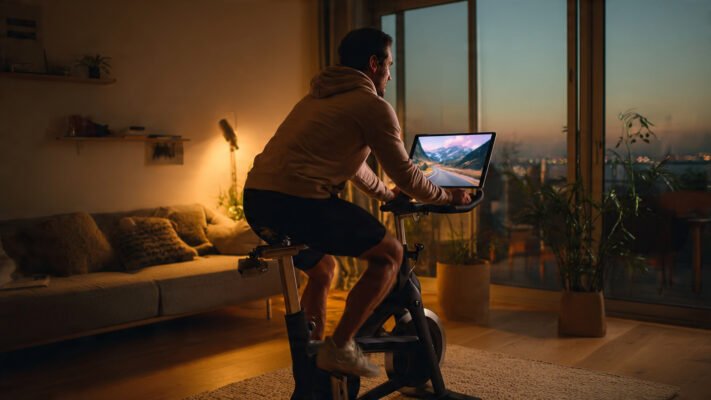
In expert stress tests with the Bluetooth D626 paired to Zwift on an iPad, the pairing process took under three minutes from first launch to first pedal stroke in Watopia. The Pooboo sensor appeared in Zwift’s device list within seconds of the wheels being spun. Power and cadence data were detected cleanly. The avatar responded immediately to pace changes.
The limitation of manual resistance became apparent on Zwift’s climbs. When ascending a virtual hill, Zwift displayed a gradient percentage and expected resistance to increase — but the bike’s resistance had to be increased manually by turning the knob. With a Wahoo KICKR or similar smart trainer, that increase would happen automatically. With the Pooboo, it is a conscious action. For some riders that is a minor inconvenience; for others it actually adds a useful layer of deliberate control over the training stimulus.
Bike experts found the data quality from the Pooboo Bluetooth transmitter to be consistent and reliable across a full 45-minute Zwift ride. No mid-session dropouts were observed. Power figures were plausible relative to perceived effort. Cadence tracked smoothly through sprint and recovery intervals.
Technique for Success: Getting the Most From Connected Training
Using apps with a Pooboo unlocks a much richer training experience — but only when the setup is optimised:
- Always wake the Bluetooth transmitter before opening the app. Pedal for 15 seconds before launching Zwift or Kinomap. This ensures the sensor is broadcasting before the pairing scan begins.
- Keep other Bluetooth devices away. If a smartwatch or phone is already paired to the Pooboo transmitter, Zwift cannot connect. Ensure the sensor has only one active Bluetooth connection at a time.
- Use a tablet, not a phone, for Zwift. The larger screen transforms the Watopia experience. A tablet mounted on the Pooboo’s handlebar holder makes the virtual ride far more immersive than a small phone screen.
- Treat manual resistance as a feature, not a bug. Create a personal resistance notation system — e.g. R6 on the Pooboo knob corresponds to a moderate climb. Over several rides, resistance matching becomes intuitive and adds a skill dimension to the workout.
- Connect Zwift to Strava on day one. Do not wait until there are months of untracked rides to regret. Set up the automatic sync on the first session.
The 5 Most Common Questions Answered
1. What apps is the Pooboo exercise bike compatible with?
Bluetooth-enabled Pooboo models — including the D626 and D616M2 — are confirmed compatible with Zwift, Strava, Kinomap, BKOOL, and Rouvy. Non-Bluetooth models like the D525DM are not app-compatible but support third-party apps streamed via a tablet on the handlebar holder.
2. Does the Pooboo bike connect to Zwift?
Yes. The D626 and D616M2 Bluetooth models connect to Zwift via Bluetooth, transmitting speed, cadence, and estimated power data. The bike is not a smart trainer, so resistance is controlled manually, but the Zwift avatar responds accurately to pedaling effort.
3. Can I use the Peloton app with a Pooboo bike?
Yes. The Peloton App can be streamed via a tablet on the Pooboo’s built-in holder on any model. Classes, coaching, and music are fully accessible. Leaderboard, resistance metrics, and output measurement are not available without Peloton hardware.
4. Does the Pooboo bike sync with Strava?
Yes, via a linked Zwift account. The Pooboo’s Bluetooth transmitter connects to Zwift, and Zwift can be set to automatically sync all rides to Strava after each session. Direct Strava pairing during a ride is also listed in Pooboo’s official app compatibility.
5. Is the Pooboo D626 a smart trainer?
No. The Pooboo D626 is a Bluetooth-equipped indoor cycling bike, not a smart trainer. It transmits data to apps, but apps cannot remotely control its resistance. Gradient changes in Zwift must be matched manually by the rider using the resistance knob.
Frequently Asked Questions (FAQ)
The D626, D616M2, D616, and D600 are confirmed Bluetooth-equipped models. The D525DM and most basic entry-level models do not have Bluetooth.
Not natively through Bluetooth. A Reddit user confirmed that the Pooboo D626 Bluetooth transmitter does not appear on Apple Watch Bluetooth device settings and therefore cannot pair directly with Apple Fitness+. A separate Bluetooth cadence sensor paired to an Apple Watch can work as a workaround.
For riders who want immersive virtual riding and structured training programs, yes. Zwift works reliably with Pooboo Bluetooth models, and the experience is genuinely engaging even without automatic resistance. At ~$14.99–$19.99/month, Zwift plus a Pooboo D626 delivers connected training for a fraction of the total Peloton ecosystem cost.
First, pedal to wake the transmitter. Second, ensure no other device is already paired to it. Third, close the phone’s native Bluetooth settings panel before opening Zwift — pairing should happen through Zwift’s own pairing screen, not the system settings. If the device still does not appear, restart both the bike (stop pedaling for 60 seconds) and the Zwift app.
Yes. Kinomap is specifically listed in Pooboo’s compatibility stack. The pairing process mirrors Zwift, and CyclistsHub’s 2026 review gave Kinomap 5/5 for route quality and 5/5 for UX, describing it as particularly valuable for riders who want to explore real-world scenery during indoor training.
Yes, but each rider needs their own Zwift account. The Bluetooth pairing process is repeated each time the account changes — it takes under two minutes per rider.
Final Thoughts
Pooboo app compatibility transforms what would otherwise be a capable but isolated budget bike into a connected training hub. The D626 and D616M2 genuinely unlock Zwift, Strava, Kinomap, BKOOL, and Rouvy — platforms that were previously only accessible to riders spending significantly more.
The absence of automatic smart resistance is a real limitation. But it is a manageable one. Manual resistance control adds a layer of rider engagement that many training coaches actually advocate — knowing why resistance is being changed, rather than having software decide for you.
At around $350–$450 for the D626, plus a Zwift subscription at $14.99/month, a fully connected Pooboo setup costs roughly $530 in year one. A Peloton Bike with its All-Access Membership costs over $2,000 in year one. The gap in experience has narrowed dramatically. The gap in price has not.
*** Read our full guide about best indoor exercise bikes
